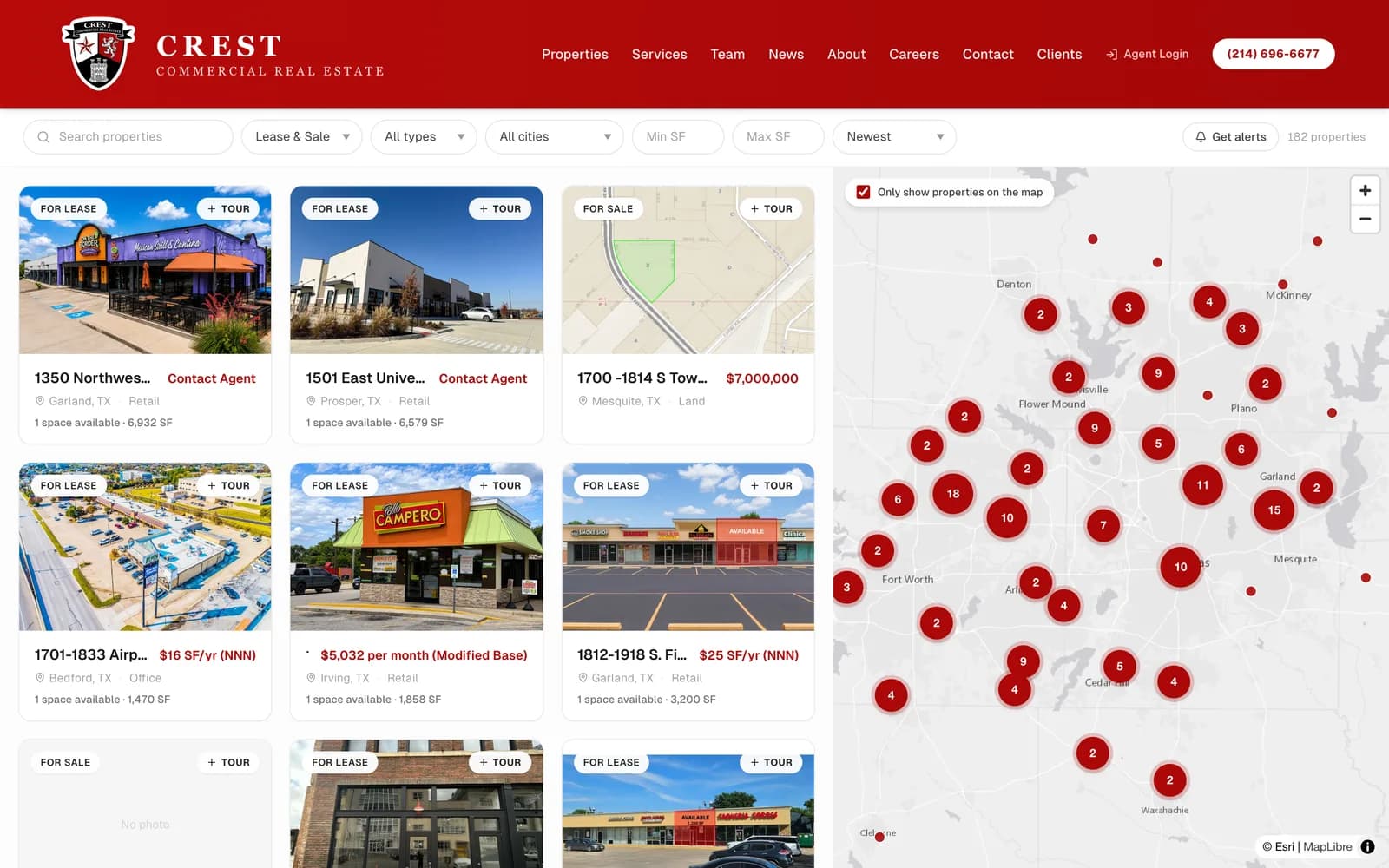
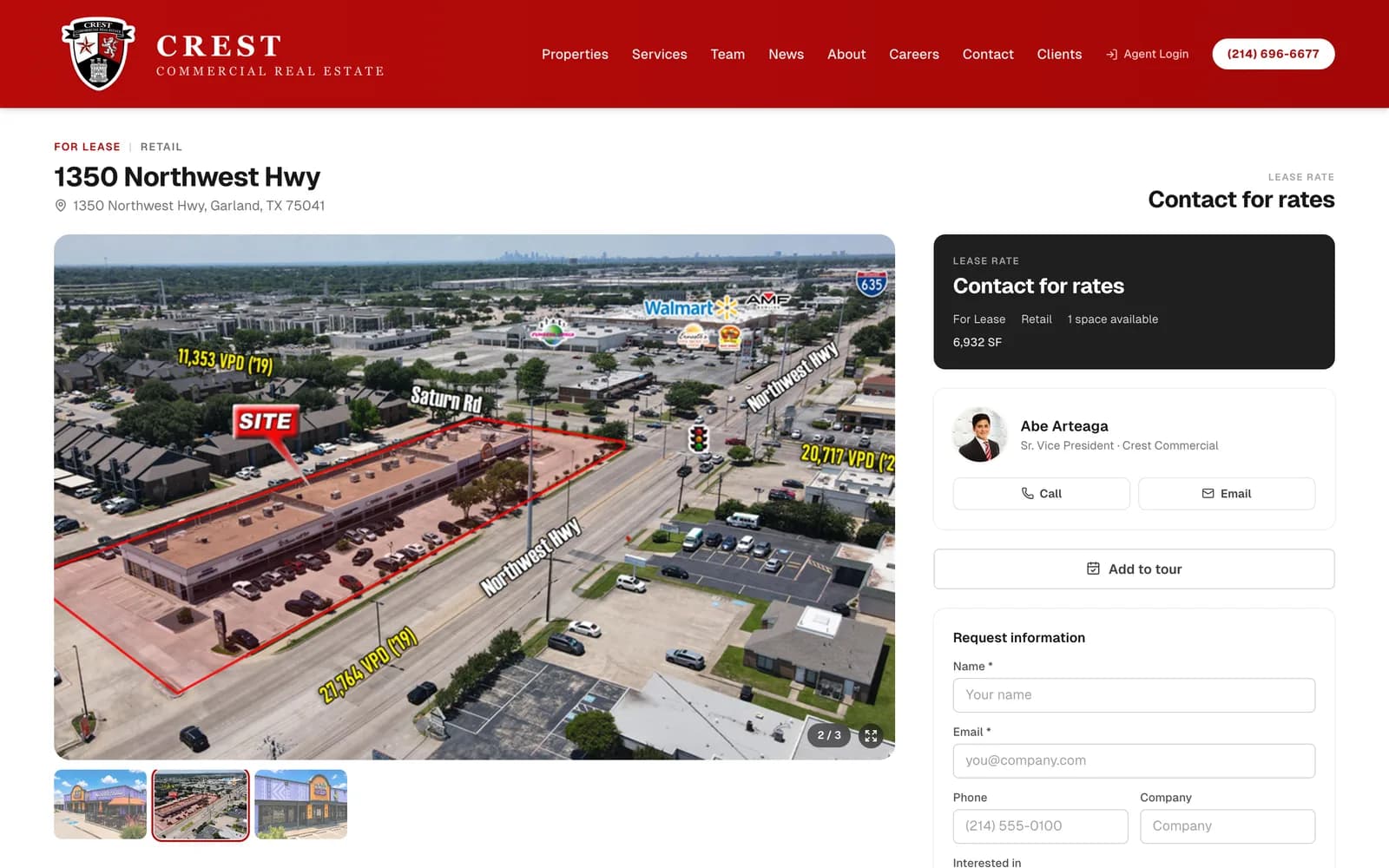
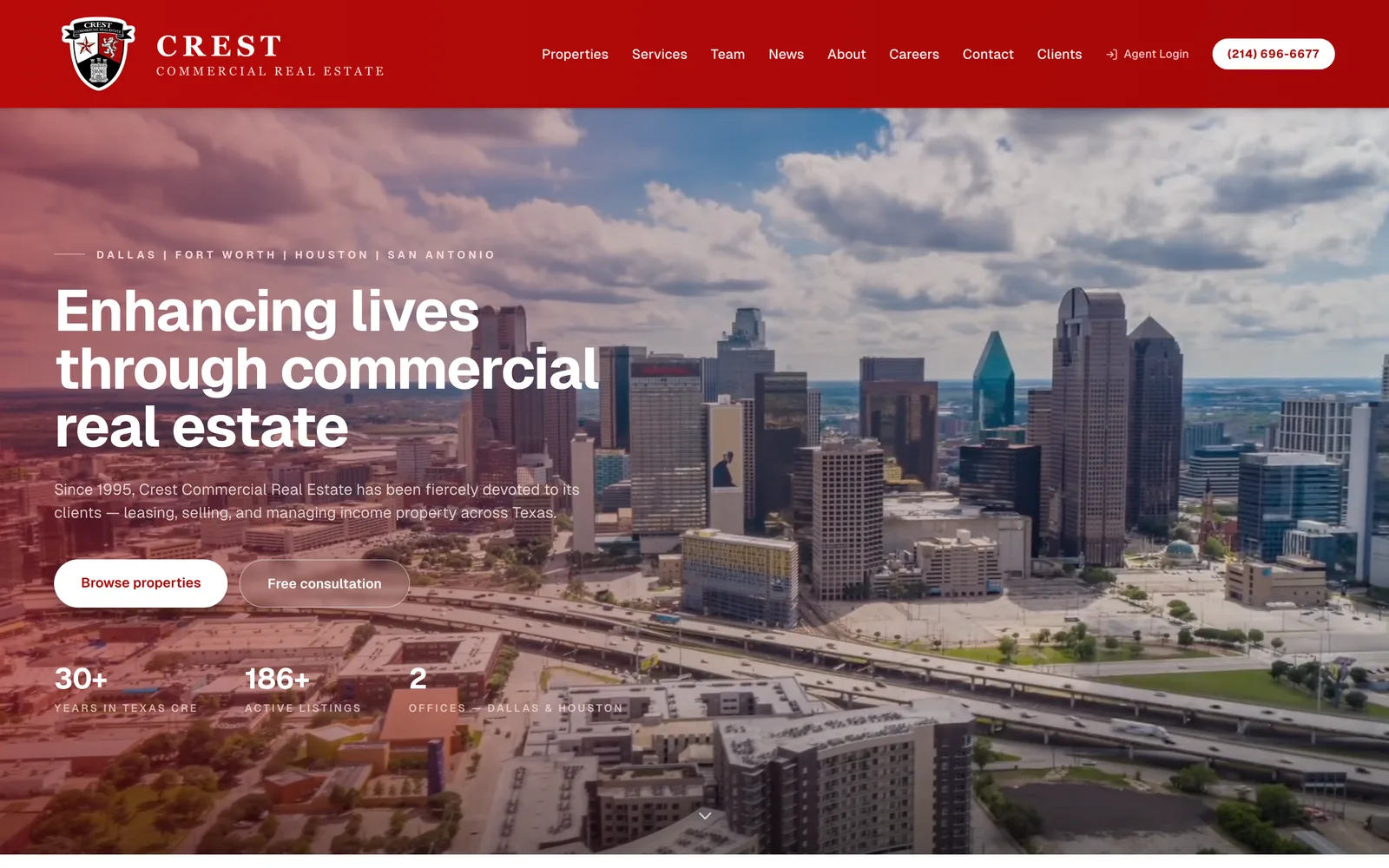
A Dallas–Fort Worth brokerage rented its listing site, its brochures and its client list from Buildout, per seat, every month, on a platform it could not change. We replaced it in five weeks. They own it.
A per-seat subscription for the platform, a fixed template for the collateral, and the client list sitting in Buildout's database rather than Crest's.
Step 02
Approach
One codebase, two applications — a public listing site and a broker admin — that between them absorb the subscription and every paid extra on top of it.
Step 03
Launch
In production, off Buildout.
Step 04
Ownership
Crest owns the code, the database, and every client relationship running through it.
Before and after
What broke. What replaced it.
Flip the switch to see what changed.
A monthly subscription for a platform they could not change.
A codebase Crest owns outright — every screen theirs to alter, no renewal.
Brochures locked to a template they could not change.
An engine that prints Crest's own design, unlimited, in seconds.
Every enquiry landed in Buildout's database, not Crest's.
A CRM in their own Postgres — the client list is the asset.
Retailer maps and demographics assembled by hand, one property at a time.
Both generated in-platform, free, straight off the listing record.
Product tour
Click through the platform.
Real recordings of the live platform.
crestcommercial.com
Behind the login
The half the public never sees.
The broker admin that came with the platform. Names and contact details are blurred; everything else is the live system.
01
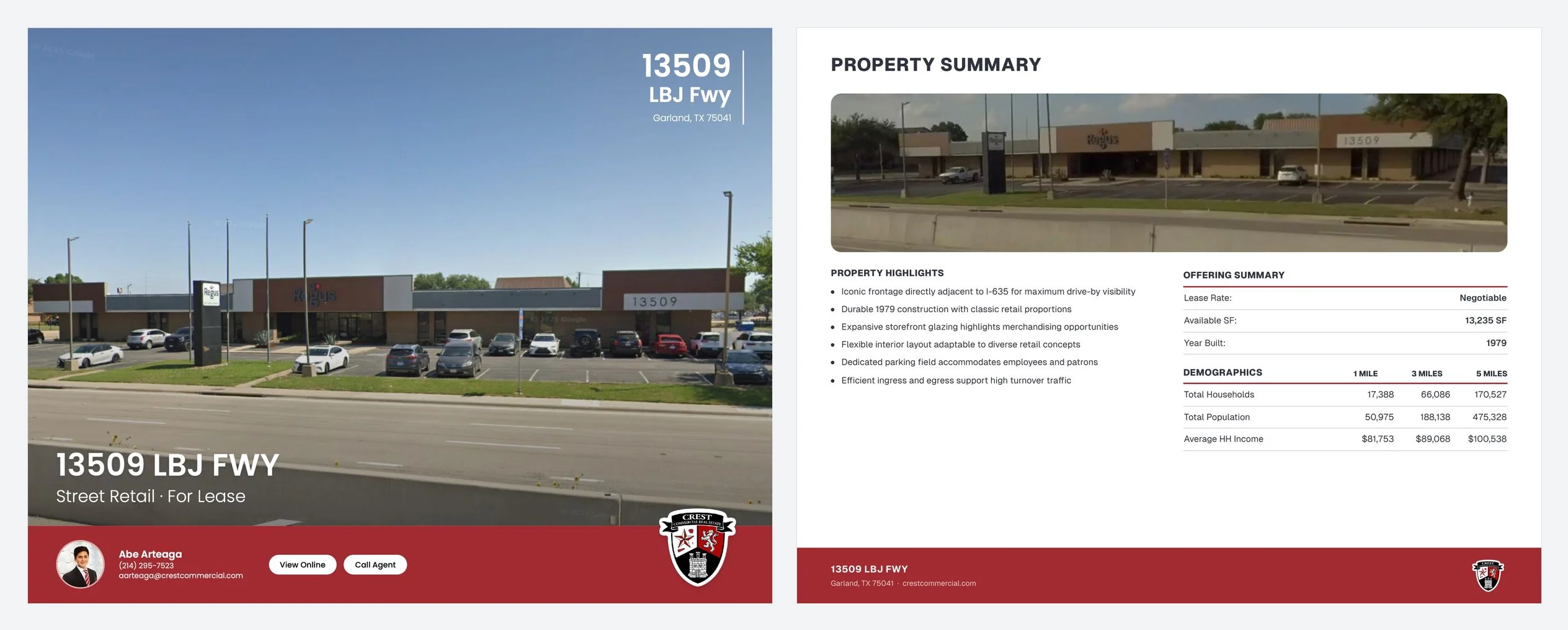
The flyer builder, not a design request
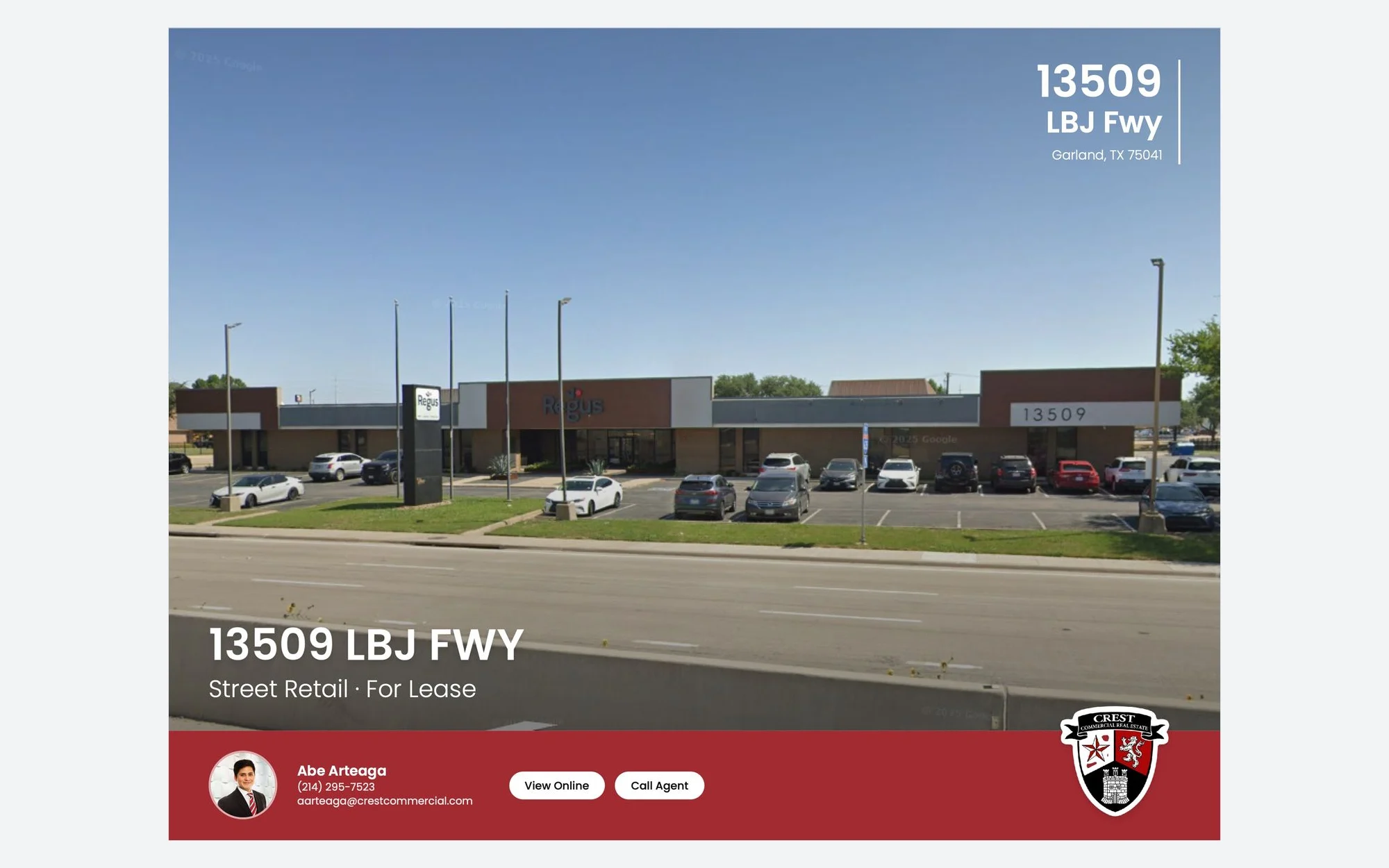
A broker opens a listing and builds the flyer in the browser: cover, property summary, photos, aerial and retailer map, demographics, the Crest team card, the Texas IABS notice. Drag a section to reorder it, delete one that does not apply, pick the template, export the PDF. This is what comes out, in Crest’s own red livery. No ticket, no designer, no waiting.
02
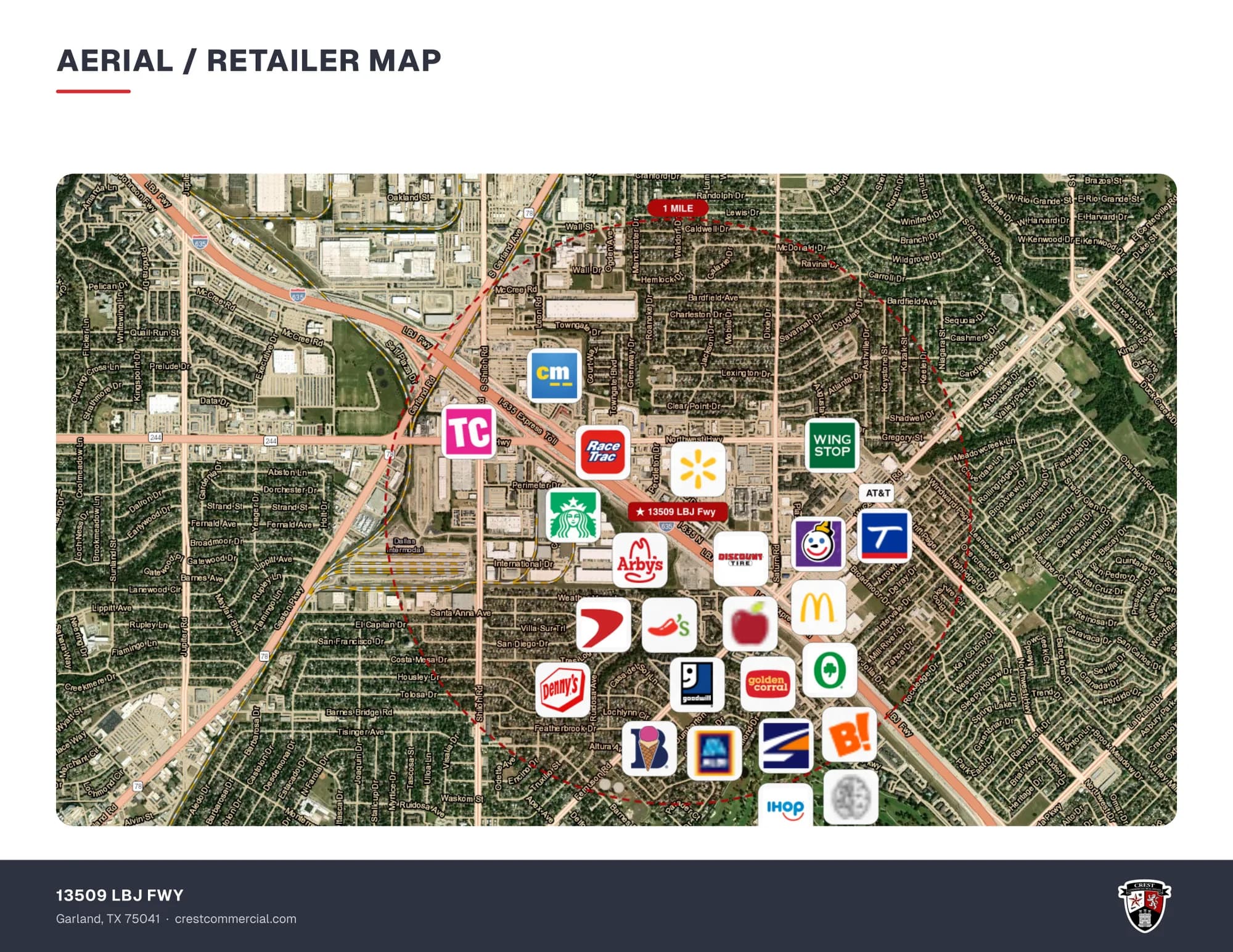
The map editor behind it
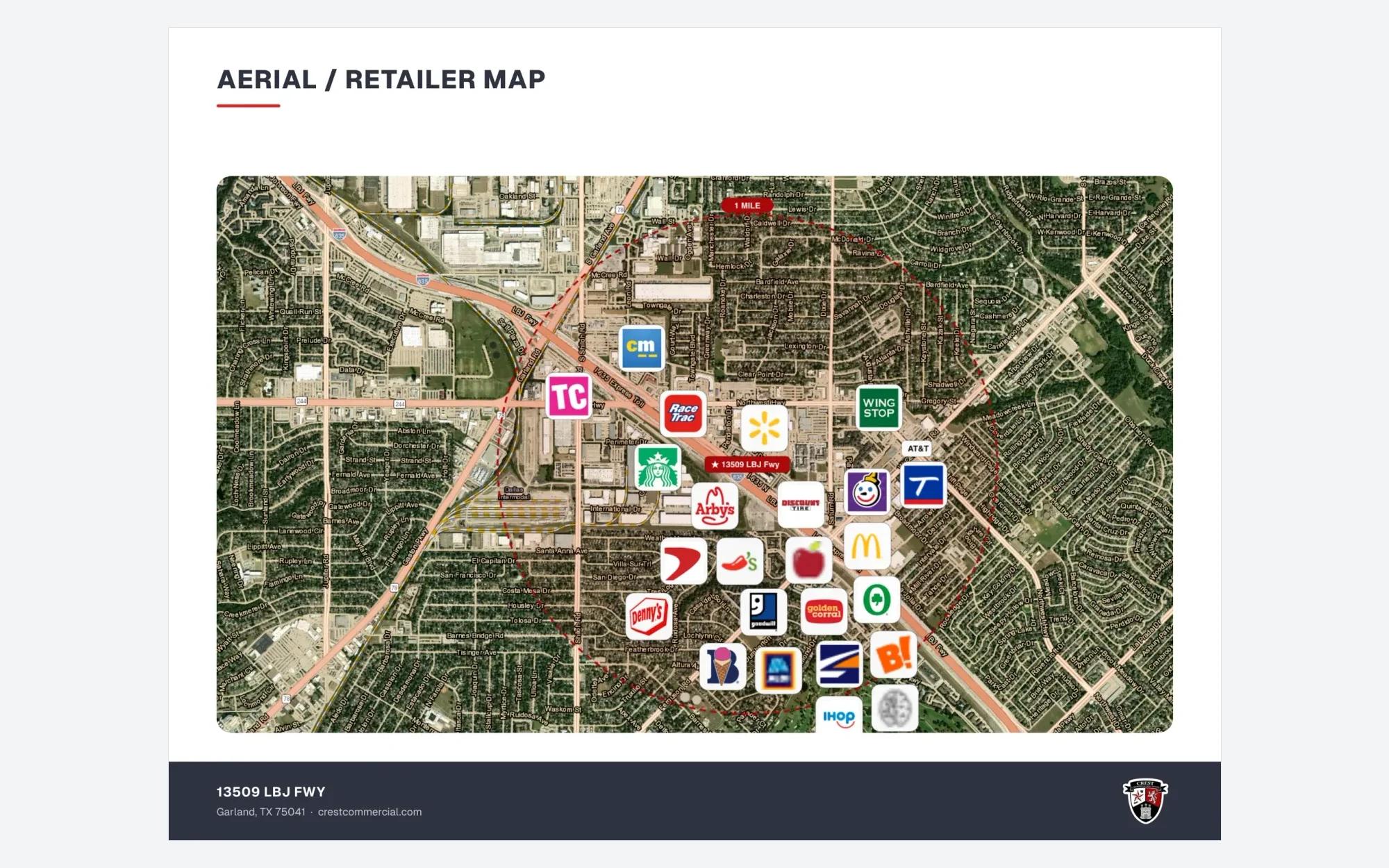
Set a radius, press auto-populate, and every national tenant around the site arrives with its own logo. Drag a marker into place, add one by name, then export the composite onto the listing and into the flyer. This is 13509 LBJ Fwy, as the editor exported it: the one-mile ring drawn, the subject property starred, the whole trade area named. Minutes, in-house, as often as the corner changes.
03
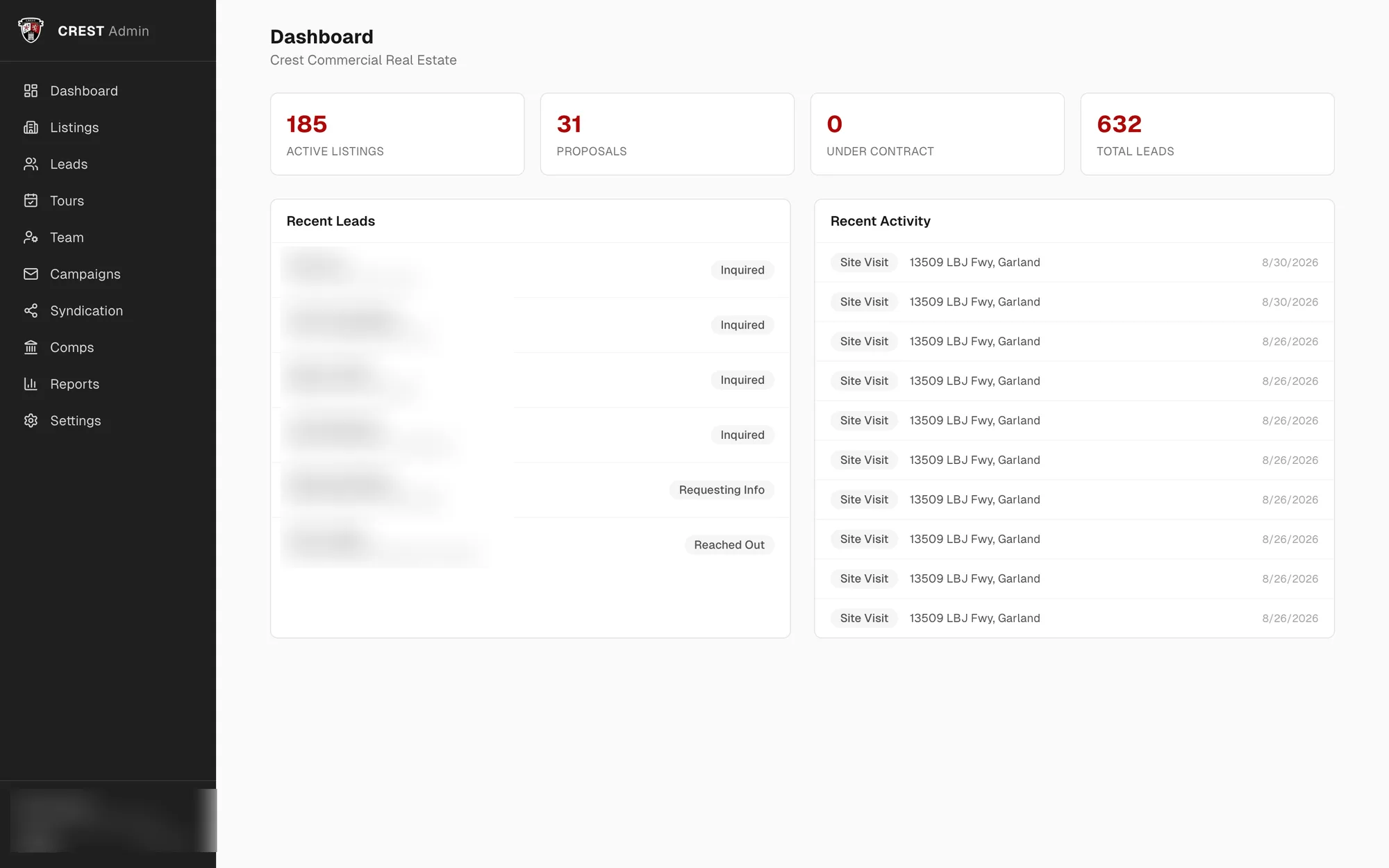
The brokerage on one screen
Active listings, proposals out, deals under contract and every lead the site has ever taken, counted the moment you sign in. The activity column shows what happened on which property today.
04
The client list, in Crest’s own database
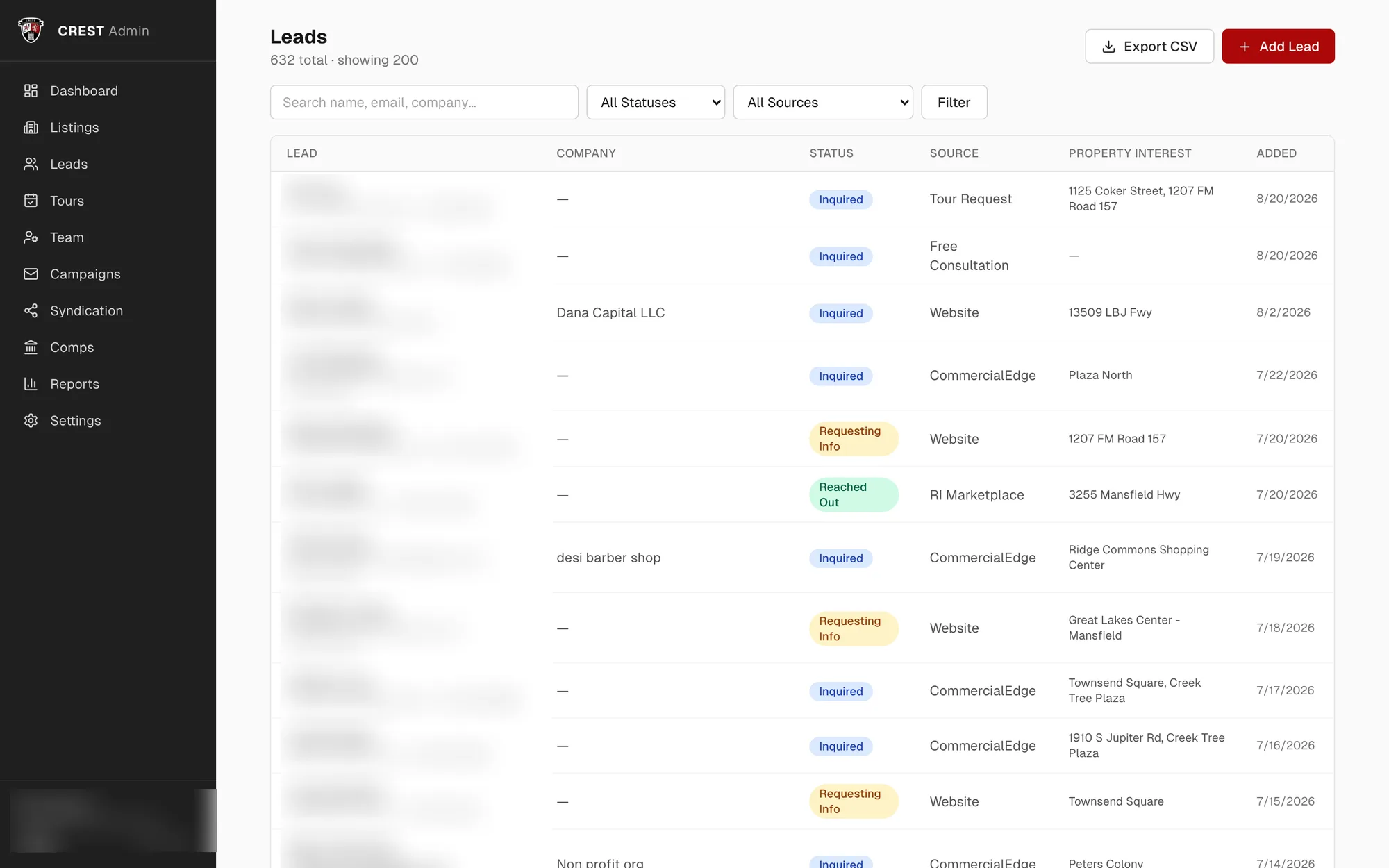
632 leads with the property each one asked about, where they came from and where they stand. Searchable, filterable, exportable to CSV. When a brokerage leaves a subscription platform, this is the asset it usually cannot take with it. Here it was never anyone else’s.
05
One client, every property they touched
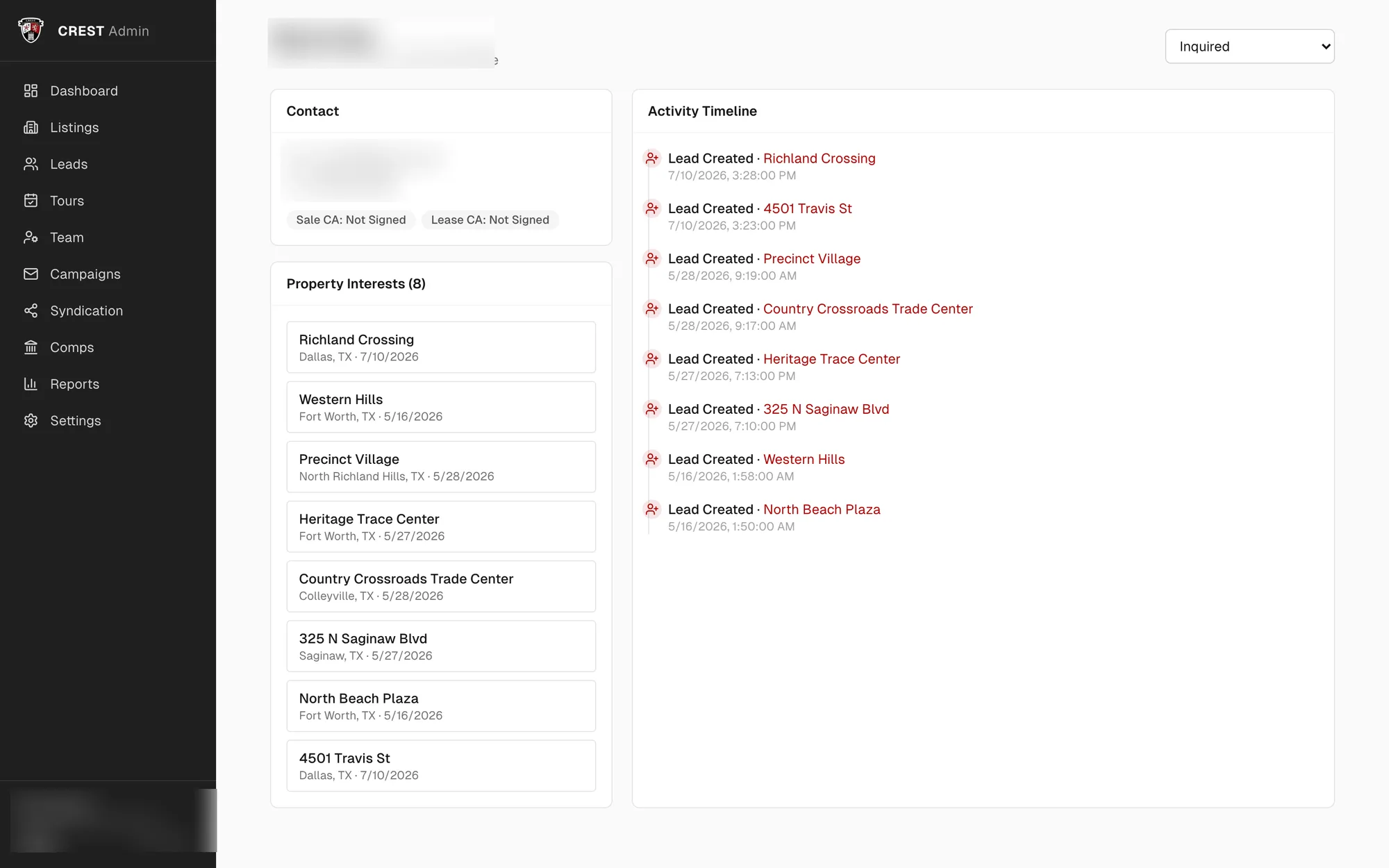
Open a lead and you see the whole relationship: the eight properties they have enquired about, the dates, the confidentiality agreements signed or not, and a timeline of every enquiry in order. The broker calls back knowing all of it.
06
Where a listing is made
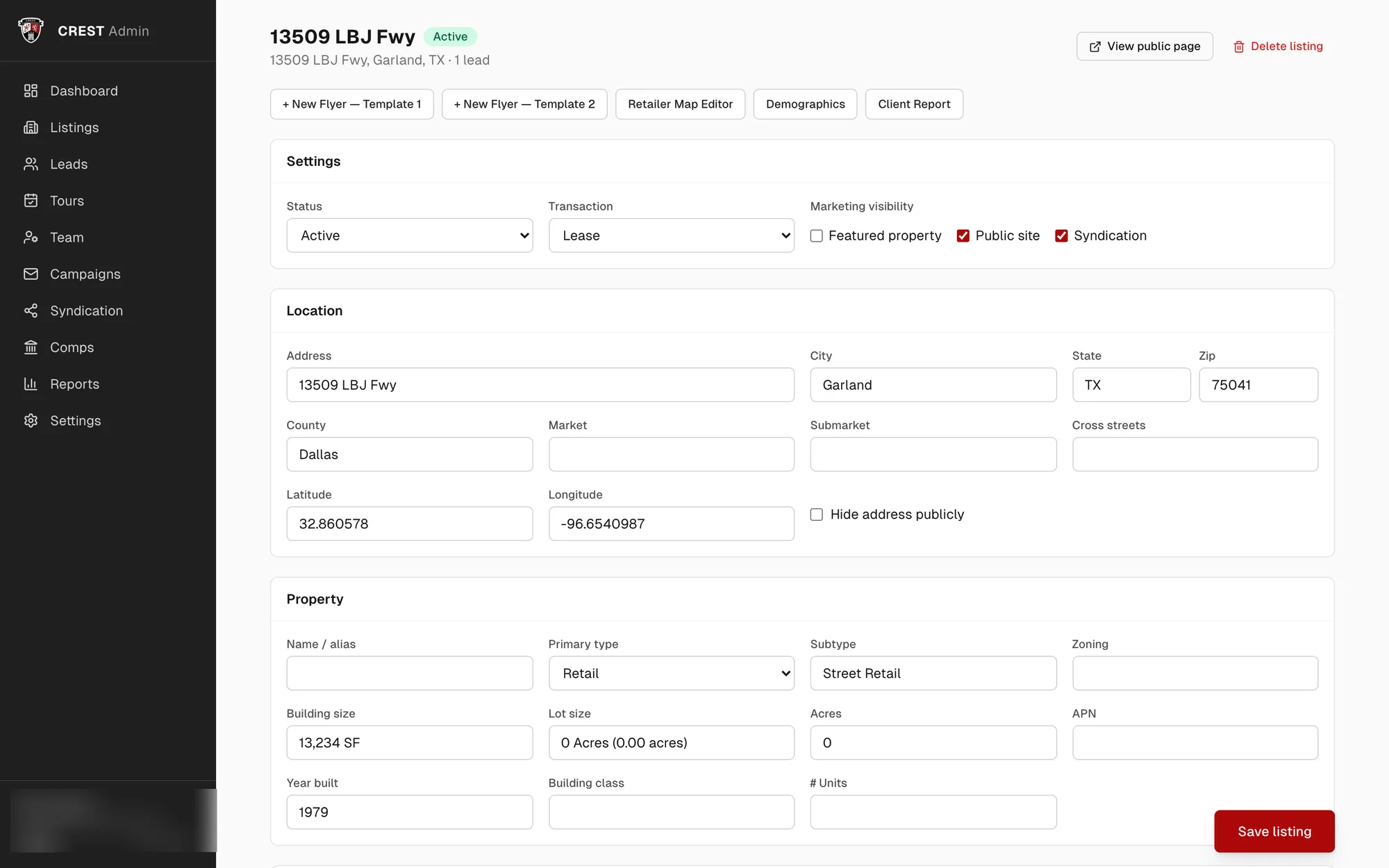
One record holds the address, the spaces, the rates, the photography, the documents and the map. A broker saves it and the public site, the flyer and the syndication feed all move together.